|
INTRODUCTION
The TI-82 was released as a more user-friendly version of the TI-85, at the
sacrifice of many of its advanced features, but with a lower price tag. It
was long believed that the TI-82 could not be programmed in assembly, but, as
with the TI-85, a loophole was eventually found, making the TI-82 a much more
attractive programming platform. The TI-83 Plus and TI-84 Plus have taken the place
of the TI-82 as the standard in math and science classrooms and the TI-82 has been discontinued.
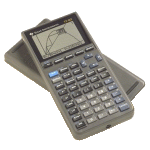
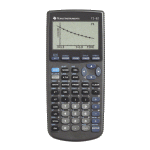
PHOTOS
Click for a larger version.
MODEL SPECIFICATIONS
OFFICIAL INFORMATION
» TI Connect for the TI-82
» TI-Graph Link for the TI-82
» Guide Books from Texas Instruments
OFFICIAL UPGRADES
» TI Connect
The TI Connect is the latest link cable produced by TI. It has a higher data transfer rate than the TI-Graph Link cable. It's a USB cable and lets you transfer data files (such as programs) between your calculator and your computer. TI Connect will only work on Mac® computers.
» TI-Graph Link
The TI-Graph Link is the older link cable produced by TI. It does not have as high of data transfer rate, but it does work wih almost all calculators. It connects to your serial port and like TI Connect is widely used to transfer data files (such as programs) between your calculator and your computer.
ROM VERSIONS
From time to time, TI will update the internal code of their calculators to
work around bugs, optimize functions, and even add features. This results in
several versions of each calculator in the marketplace. You can check the ROM
version of your TI-82 using the following key sequence and reading the number
on your screen:
[MODE] [ALPHA] [S]
WARNING: After entering the above key sequence, DO NOT PRESS ENTER! If you
do, your calculator's memory will be erased. Press any other key to exit back
harmlessly.
Known ROM versions:
- 1.0
- 3.
- 3*
- 4*
- 7*
- 8.0
- 9.0
- 10.0
- 11.0
- 12.0
- 15.0
- 16.0
- 17.0
- 18.0
- 19.0
- 19.006
UNOFFICIAL UPGRADES
» IR Link
The IR Link allows you to control infrared devices from your calculator or
communicate with other calculators (to play games or chat) over a wireless
connection.
» Link Cables
Link cables let you transfer data files (such as programs) between your
calculator and your computer.
» Power Extension Page
The Power Extension instructions will show you how to use AA (instead of AAA)
batteries without making any modifications to your calculator.
» TI-82 Turbo Page
These modifications to your TI-82 can overclock the calculator to 3-4 times its
original speed.
BASIC PROGRAMMING
» TI-82 BASIC Tips & Tricks Vol. 1
by David Dynes
» Tutorials at TI-Freakware
ASSEMBLY PROGRAMMING
History: Assembly language programming was not supported by TI when the
TI-82 was released. As with the TI-81, TI-85 and TI-92, the calculator had to be
"hacked" to enable assembly programming.
The TI-82 was a mystery for a long time. People passed the
idea of assembly language support off as a joke, saying it was
impossible. Finally, in the middle of 1997, a shell was produced.
This first shell was called OShell-82 (later renamed to OS-82), and
it was followed shortly by Ash. These both use a similar approach.
The TI-82 uses a buffer (as does the TI-85) that points to the next
routine that needs to be called when a key is pressed. When the
pointer is changed and a key is pressed we can execute assembly.
A dummy variable is used that points to a location in RAM where
assembly code is stored.
» Beginning TI-82 Assembly Programming, Part I
by Doug Torrance
» Beginning TI-82 Assembly Programming, Part II
by Doug Torrance
» TI-82 Assembly Programming Guide
by Wouter Demuynck
» The Guide
by Jimi Malcolm
» Tutorials at TI-Freakware
EMULATORS
Several emulators are available to let you simulate TI calculators on your
computer. To locate available emulators and learn how to download a ROM image from your calculator, see our
Emulators page.
|


