Note! This review was written for a previous version of this file!
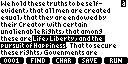
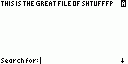
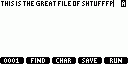
With most of the features of WordPad for the PC, this is definitely the best text editor for the 86. Editing BASIC programs with ATE is easier than with the built-in program editor, because it uses the small graph screen font, allowing more to be fit on the screen, and uses a more intuitive keypress scheme than the TI-OS, better suited to typing text. ATE is very flexible-it can also edit TextView documents (the best part) and ZAC assembly source files. One of the really nice features that really helps when editing text files is the clipboard-like feature, even though you can't delete any text between the copy and paste operations (but that doesn't really matter). When editing BASIC programs, it has a list of insertable commands, just like in the TI-OS program editor, and when editing assembly source code, the BASIC commands are replaced with assembler directives and processor instructions. You can also insert almost any possible character into your file from a menu-the only problems with this feature are that it's hard to navigate the list, because there are so many characters, and it doesn't include the Greek letters. It even has a "string search" feature that can find text in a file! One of the best features is the YAS external file type support, which allows you to open a text or source code file directly from any shell using the YAS core (such as iShell).
Typing is very easy-the alpha key is used for switching between uppercase and lowercase letters, and the 2nd key switches between letters and symbols. This makes entering text MUCH easier than with the key press sequences used by the TI-OS. Many of the most commonly used non-alphanumeric characters (such as a colon or quotation mark) are accessible from the keypad, so you don't have to find them on the character menu (if you can remember the associated keys).
Even if you don't write BASIC programs, or keep TextView files on your calculator, you should definitely try this program. It's great for taking quick notes, and you'll probably soon find yourself using it all the time!