|
File Manager 1.2
|
|
FILE INFORMATION
Ranked as 2129 on our all-time top downloads list with 10551 downloads.
Ranked as 5256 on our top downloads list for the past seven days with 3 downloads.
|
fileman.zip
|
|
Filename
|
fileman.zip (Download)
|
|
Title
|
File Manager 1.2
|
|
Description
|
File utility shell that allows running, copying, renaming, deleting, edit-locking, and converting between strings and programs. Crash protection preserves your memory after a program crashes.
|
|
Author
|
Cassady Roop (croop@oregontrail.net)
|
|
Category
|
TI-86 Assembly Shells
|
|
File Size
|
21,758 bytes
|
|
File Date and Time
|
Sat Dec 25 03:01:30 1999
|
|
Documentation Included?
|
Yes
|
|
Source Code Included?
|
Yes
|
|
SCREEN SHOTS
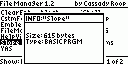
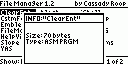
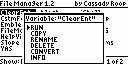
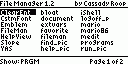
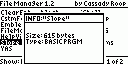
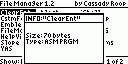
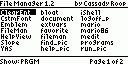
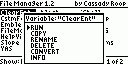
REVIEWS
|
Review
|
|
Review by
|
 Chris Remo Chris Remo
|
|
Reviewed on
|
2004-11-22
|
Suitability: 8/10 Not as good as true shell, very big
Ease-Of-Use: 9/10 Many commands, but not hard to use
Overall: 8/10 A bit of work and will be excellent
Cassady Roop's File Manager is a (very) enhanced shell from which one can perform an incredible amount of tasks. Fileman's commands include Copy Program, Rename Program, Delete Program, Convert to String/Convert to Program (only use this function if you have a reason to, and know what you're doing!), Program Information, Program Lock (for BASIC programs), Contrast, Anti-Crash (quite useful), String/Program Filter, Power-Down, and of course the standard Run function.
Most of us won't use many of these functions, such as Convert, which is pretty much only useful for messing with 85 assembly programs, but overall I have to say this is a very useful program. I don't recommend using it as a stand-alone shell, however, because one of the best things about current shells, the grouping ability, is not present in this program. Unfortunately, this means you need another shell as well, and since Fileman has the hefty size of almost 4000 bytes, it's hard to find the room for both it and another feature-filled shell such as ASE. Basically, you have to choose between big chunks of shell in your memory while retaining tons of features between them, or stick with a manageable amount of memory and skimping on the features (by choosing a really small other shell, or even none at all if you can stand it). Besides its big size, Fileman is a bit slow, especially with Anti-Crash enabled (one of the best features; note that it doesn't ward off crashes, but saves your memory after one). Even when Anti-Crash is disabled, the speed is only marginally better and there is a lot of flickering when you scroll. All in all, Fileman is an excellent program, but is brought down only by a few shortcomings. Definitely consider putting it on your 86... |
|
LEAVE FEEDBACK
Questions, comments, and problems regarding the file itself should be sent directly to the author(s) listed above.
Write a review for this file (requires a free account)
Report inappropriate or miscategorized file (requires an account; or you may email us directly)
If you have downloaded and tried this program, please rate it on the scale below
ARCHIVE CONTENTS
|
|
|

