|
Draw DE v1.5
|
|
FILE INFORMATION
Ranked as 25600 on our all-time top downloads list with 2672 downloads.
Ranked as 28023 on our top downloads list for the past seven days with 5 downloads.
|
drawde83.zip
|
|
Filename
|
drawde83.zip (Download)
|
|
Title
|
Draw DE v1.5
|
|
Description
|
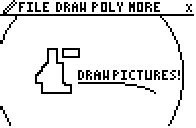
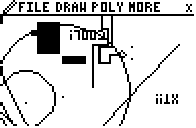
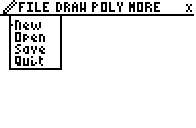
This is Draw DE v1.5, an integral part of the Office DE suite. Draw DE is an incredible drawing program with three menus of functions for nearly twenty total drawing tools. You can draw squares, circles, lines, invert the screen, flip the picture horizontally or vertically, clear an area, draw with a pen, point on, point off, or point change tool, and many other options. The current tool remains active until you press the [2nd] key to select a new tool. Up to nine files can be saved and opened in the program. You can even export files to Presentation DE. Also look for Document DE, Spreadsheet DE, and Presentation DE, the other components of the Office DE suite. Now optimized for Doors CS v4.0
|
|
Author
|
Kerm Martian (admin@cemetech.net)
|
|
Category
|
TI-83 BASIC Graphics Programs
|
|
File Size
|
1,567 bytes
|
|
File Date and Time
|
Tue Apr 15 20:53:41 2003
|
|
Documentation Included?
|
No
|
|
SCREEN SHOTS
REVIEWS
There are no reviews for this file.
LEAVE FEEDBACK
Questions, comments, and problems regarding the file itself should be sent directly to the author(s) listed above.
Write a review for this file (requires a free account)
Report inappropriate or miscategorized file (requires an account; or you may email us directly)
If you have downloaded and tried this program, please rate it on the scale below
ARCHIVE CONTENTS
|
Archive Contents
|
|
Name
|
Size
|
| ZDDLOGO.83p | 130 |
| DRAWDE.83p | 2744 |
|
|
|
|
|

